FerroScale
Metal calculator that remembers your work
Type a line, get a price. Calculations group into projects that carry the whole quote — material, labour, hardware, paint — and a cut plan for ordering.
- Runs on
- Desk and phone, in the browser
- Built with
- TypeScript · Next.js · React · EN 10034/10219
- Latest release
- 3.37.0 · Oct 8
- Source
- nedimperva/ferroscale
- Walkthrough
- 20 views
The Problem
Most online metal calculators are throwaway single-line forms: enter a profile, get a weight, and everything disappears on refresh.
Quoting an actual fabrication job means pricing multiple sections, factoring in cutting plans, hardware, and surface treatment without retyping standard EN beam tables or losing the running total.
01 / 12 · Screens
The home screenThe home screen
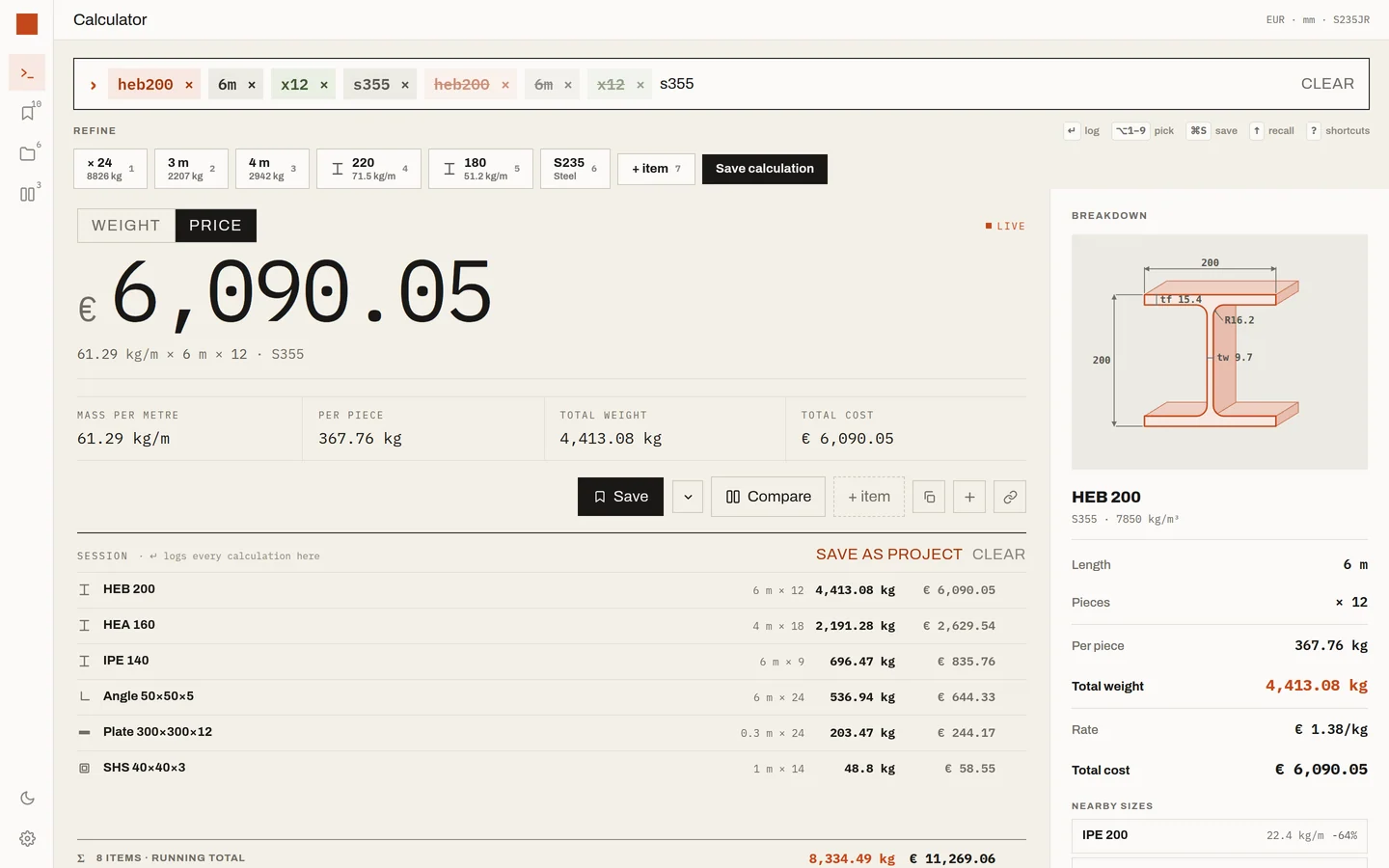
Type the part the way you would say it. The weight and price come up as you type, the profile drawing and the formula behind each figure sit beside it, and every line you work out stays in the session list.
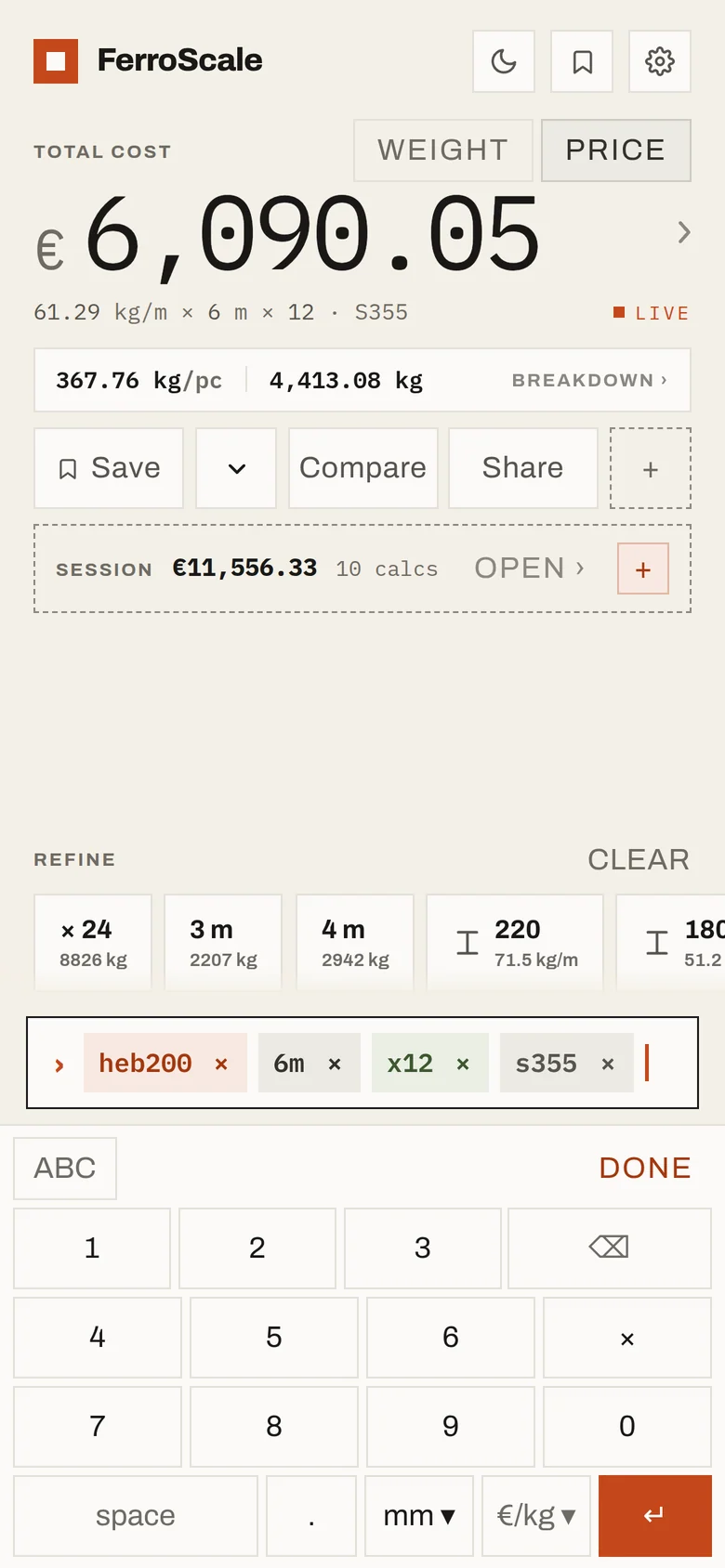
On phone · On the phone, the line sits over a keypad of its own, with unit and rate keys, for one-handed use on site.
Breakdown, pulled up
Type the part the way you would say it. The weight and price come up as you type, the profile drawing and the formula behind each figure sit beside it, and every line you work out stays in the session list.
On phone · The same breakdown in one column: profile drawing, one piece and all of them, and the formula under each figure.
A line of parts, as a bill of material
Several parts typed as one line become a bill of material: length, pieces, kg/m, weight and cost for each, a share bar per part, and one ruled total.
On phone · The same bill of material, part by part, with the weight share under it.
Your lines
Often, Recent and every day, with a search: the lines you type again and again are one tap away.
On phone · The same lines, Often first, a tap from the keypad.
Projects board
Every job as a card in its stage, from draft to quoted, in progress and done, with its customer, weight and value. Cards, board or list.
On phone · The same jobs as a list you can search and filter.
What a quote is made of
Material, labour, hardware, transport and paint by surface area, all on the job itself, with a margin on top.
On phone · The project totals on your phone, so the number you quote in the yard matches the one at your desk.
More inside FerroScale
6 more views · click to enlargeNests the job into stock bars, showing yield, saw kerf, reusable offcuts and scrap, ready to print for the shop floor.
The profiles and assemblies you reach for every week, tagged, pinned and ranked by use.
Customers as records of their own: contact, default margin for new quotes, notes, and every project with its value.
Candidate sections side by side, weight, cost, cost per metre and surface area, measured against a baseline profile.
Iy, Wel, Wpl and weak-axis values for every standard size, transcribed from the ArcelorMittal catalogue with the page number, never approximated.
Parts, projects, price books and shop defaults sync through Google Drive with end-to-end encryption, or go out as a plain backup file.
How it’s built
calculation engineDriven by a bilingual natural-language parser that reads profiles, lengths, quantities, and steel grades in any order — English or Bosnian (hea120 6m x2 s235 or 40x40x3 cijev 6m 2 kom).
Section properties and surface perimeters are transcribed directly from EN 10034/10219/10056-1 and ArcelorMittal tables rather than approximated by formula. Projects group cuts by stock bar, run 1D bar and 2D sheet cutting-stock optimizers with saw kerf and offcut tracking, and sync end-to-end encrypted backups to Google Drive.