Petrel
Quick notes and capture, as Markdown files
Quick notes and capture as Markdown files in one folder, for Linux and Windows. Captures land in an inbox to file later; collections are just folders, and prompts and snippets copy out with their blanks filled in.
- Runs on
- Linux and Windows
- Built with
- Rust · Tauri 2 · SolidJS · SQLite
- Latest release
- 0.3.0 · Nov 16
- Source
- nedimperva/petrel
- Walkthrough
- 14 views
The Problem
Notes apps either lock your writing into their own format or make you decide where a thought belongs before you can write it down.
I wanted capture to be one key from anywhere, filing to happen later, and every note to stay a plain Markdown file I could open with anything.
01 / 14 · Screens
Today's pageToday's page
Ctrl D opens one page a day. Enter on an empty line starts the next entry with the time, with the month, what is still open and today's captures beside it.
Capture from anywhere
A key from any app opens a small window: type and it is saved. @fri, @today or @recipes in the text files it there.
The inbox, to file
Captures land in the inbox. Pick one and Move to files it into a note or a collection, or Petrel suggests a home.
One card at a time
r reviews the inbox a capture at a time: a number files it, and the places you use most come first.
The library
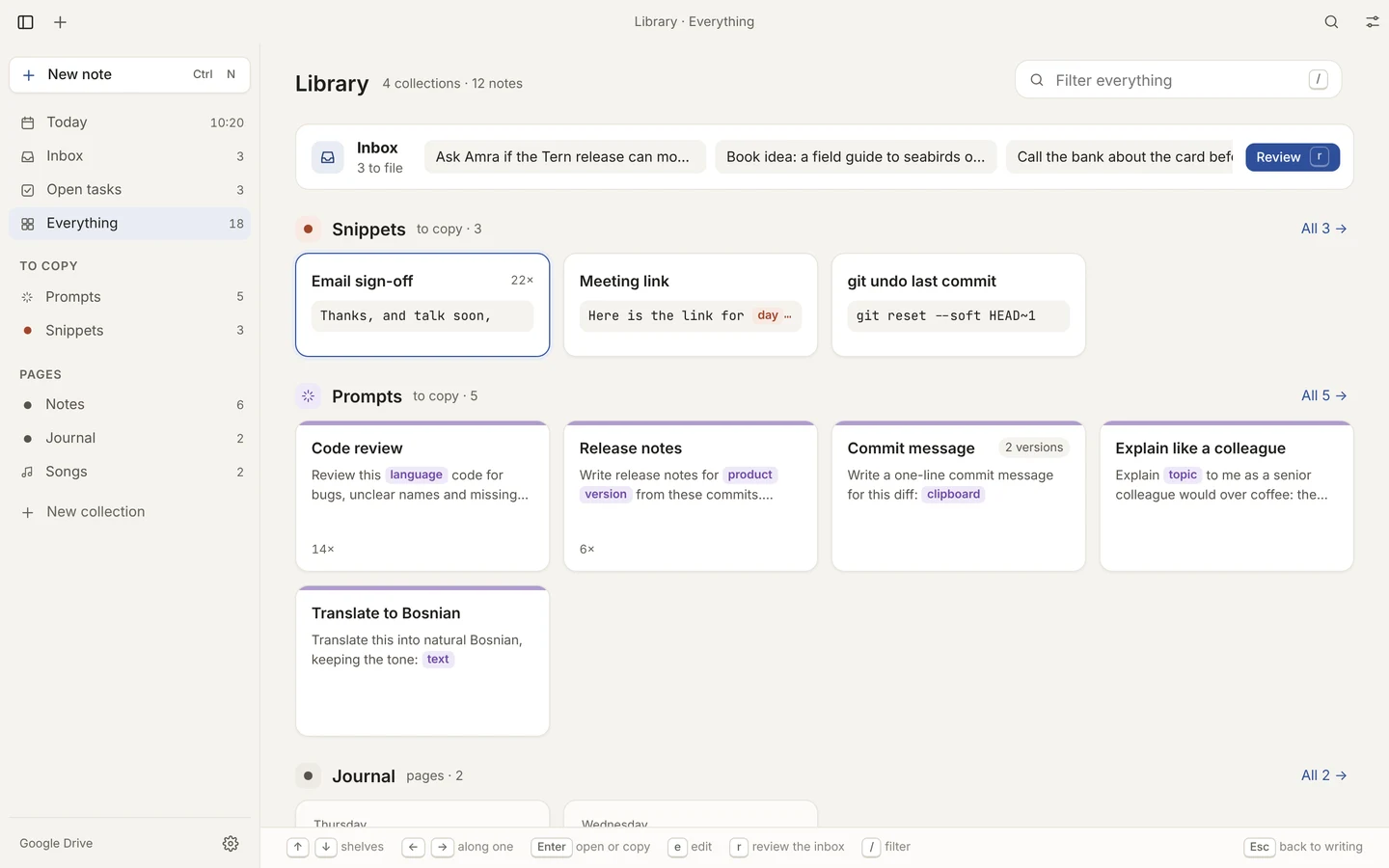
Every collection as cards: the inbox to file, snippets and prompts to copy, pages to read.
Prompts with blanks
Prompts and snippets are notes with {{blanks}} you fill in as you copy, sorted by what you use most.
More inside Petrel
8 more views · click to enlargeFrom any app, a key finds a prompt or snippet, fills its blanks and copies it. What you used in that app comes first.
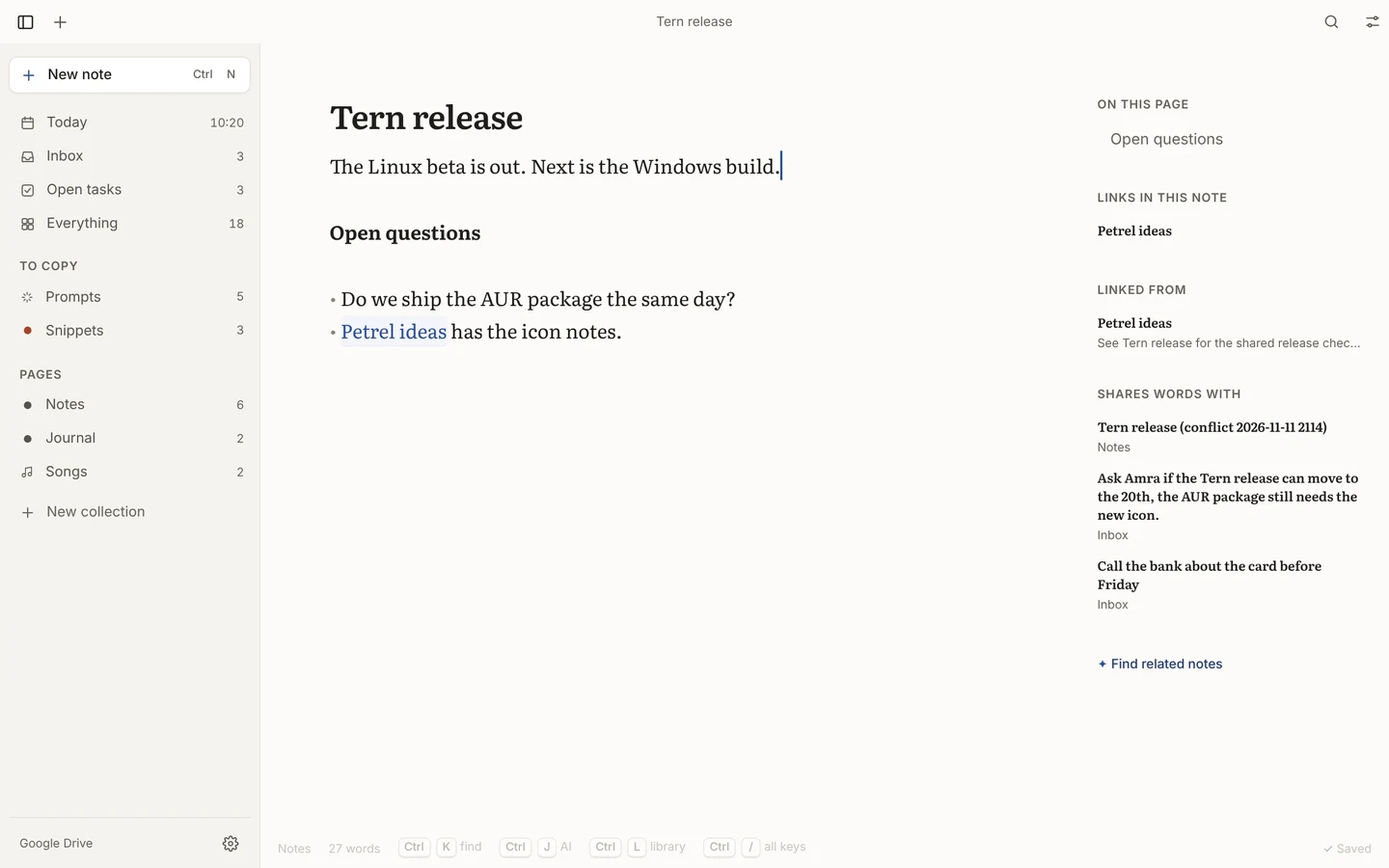
Plain Markdown with headings and links, and in the margin its outline, its links, what links to it and notes that share its words.
One bar for notes, commands and questions, with the note shown beside the list.
Ctrl K then a question asks your notes. The answer names the notes it came from, and it can be kept as a note.
Ctrl J on a note: tidy, shorten, make a list, continue, or ask your own. Nothing changes until you keep it.
Every unticked task in every note in one list, to tick or open where it lives.
The same library in the dark theme.
Ctrl / lists every shortcut: anywhere, writing, the library, the capture window and the picker.
How it’s built
files are the truthEvery note is a Markdown file in a folder you pick, so Google Drive or any sync tool carries it everywhere.
A Rust engine indexes the folder into SQLite only for search and can rebuild it at any time; a watcher reloads notes changed elsewhere and keeps both texts when two edits collide. Tauri 2 and SolidJS make the window, the capture box and the quick picker.